SNACK & WARP – Puzzle Fun for One Player
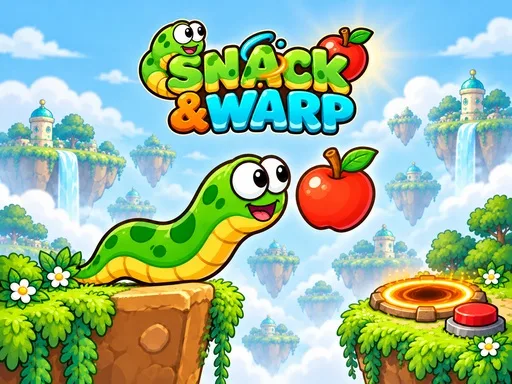
In SNACK & WARP you control a hungry worm that eats apples, grows, and bends around obstacles. Each level is a bright 2D puzzle that tests your brain and your sense of physics. You’ll lift crates, flip switches, and warp through portals to reach the purple exit. The game packs 67 clever stages, so you never run out of fresh challenges. If you love casual logic puzzles that feel fresh on every play, this title delivers exactly that.
SNACK & WARP Mechanics
The controls are straightforward, letting you focus on the puzzle instead of the button layout.
- Arrow keys WASD move
- On mobile swipe or use the arrow buttons
- Q or 1 2 choose a worm you can also tap it
- Z undo
- R restart
- Esc menu
- Collect all apples and meet the switch crate goals then guide either worm to the purple exit
SNACK & WARP Strategy
Start each stage by scanning the layout. Spot the apple clusters and the crates that block your path. Remember that the worm splits into two halves when you eat a blade apple. Use the split to hold down a button with one half while the other pushes a crate. This trick lets you solve many logic puzzles without back‑tracking.
Because the game runs on WebGL, the physics feel crisp and predictable. Experiment with different worm lengths; a longer body can reach higher platforms, but it also makes turning around tighter. When you feel stuck, hit Z to undo a move and try a new angle. The lack of a timer means you can take the time to plan each bite and each warp.
Watch for hidden switches that open secret routes. Some levels reward you with extra stars for collecting every apple, so aim for full completion. The more you play, the sharper your spatial reasoning becomes, turning each new level into a satisfying brain workout.
Ready to test your logic and physics chops? Jump into the puzzle adventure now and see how fast you can master every worm split. Play Minijuegos today and start stacking apples, crates, and clever moves in SNACK & WARP.
Arrow keys WASD move On mobile swipe or use the arrow buttons Q or 1 2 choose a worm you can also tap it Z undo R restart Esc menu Collect all apples and meet the switch crate goals then guide either worm to the purple exit