Click to play
x
Controls

Controls

Rotating triangle

  • Touch left or right to rotate the triangle (Mobile)
  • Use the left and right arrow keys to rotate the triangle (Desktop)

Moving triangle

  • Use a joystick to move (Mobile)
  • Use arrow keys / drag the left mouse button to move the triangle (Desktop)

Teleporting triangle

  • Touch / click to teleport the triangle
Bermuda Triangle

Bermuda Triangle

Bermuda Triangle
Click to play
This game is not available on mobile.
rotate phone

Bermuda Triangle – Fast‑Paced 2D Arcade Mayhem

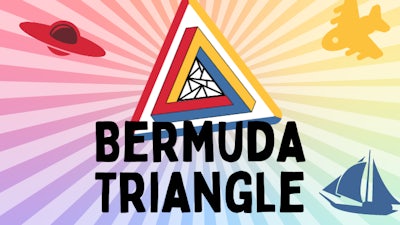
Three sides, endless chaos. In Bermuda Triangle you command a rotating triangle that smashes planes, boats, and anything else daring to cross its path. Every hit pumps up your score, unlocks new powers, and pushes the action deeper into the colorful abyss. If you love quick reflexes and bright visuals, this is the arcade fix you’ve been hunting.

Mechanics

Control is stripped down to pure instinct. Rotate, move, and teleport your triangle with a few simple inputs, then line up the right color to obliterate targets.

  • Controls Rotating triangle Touch left or right to rotate the triangle (Mobile) Use the left and right arrow keys to rotate the triangle (Desktop)
  • Moving triangle Use a joystick to move (Mobile) Use arrow keys / drag the left mouse button to move the triangle (Desktop)
  • Teleporting triangle Touch / click to teleport the triangle
Bermuda Triangle Gameplay

Strategy

Match the triangle’s side color with the enemy’s hue before you strike. The faster you line up the correct shade, the higher the combo multiplier. Keep an eye on the ability meter – filling it unlocks a burst of firepower or a temporary shield, letting you rip through waves of foes. Balance aggression with timing; over‑teleporting can leave you vulnerable, while smart positioning lets you chain destructions and rack up massive points.

Ready to dominate the high scores? Jump straight into the madness on Minijuegos or hit the Bermuda Triangle page and start crushing colors today.


Instructions:

Controls

Rotating triangle

  • Touch left or right to rotate the triangle (Mobile)
  • Use the left and right arrow keys to rotate the triangle (Desktop)

Moving triangle

  • Use a joystick to move (Mobile)
  • Use arrow keys / drag the left mouse button to move the triangle (Desktop)

Teleporting triangle

  • Touch / click to teleport the triangle
Customise Consent Preferences Close

We use cookies to help you navigate efficiently and perform certain functions. You will find detailed information about all cookies under each consent category below.

The cookies that are categorised as "Necessary" are stored on your browser as they are essential for enabling the basic functionalities of the site.

Always Active

Necessary cookies are required to enable the basic features of this site, such as providing secure log-in or adjusting your consent preferences. These cookies do not store any personally identifiable data.

Functional cookies help perform certain functionalities like sharing the content of the website on social media platforms, collecting feedback, and other third-party features.

Analytical cookies are used to understand how visitors interact with the website. These cookies help provide information on metrics such as the number of visitors, bounce rate, traffic source, etc.

Advertisement cookies are used to provide visitors with customised advertisements based on the pages you visited previously and to analyse the effectiveness of the ad campaigns.

We also use third-party cookies that help us analyse how you use this website, store your preferences, and provide the content and advertisements that are relevant to you. These cookies will only be stored in your browser with your prior consent.

You can choose to enable or disable some or all of these cookies but disabling some of them may affect your browsing experience.