Castle Wars: Middle Ages – Siege the Past
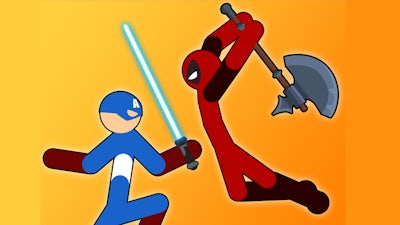
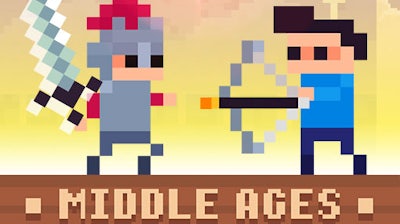
Two rivals, one crumbling fortress, endless cannon fire. In Castle Wars: Middle Ages you and a friend lock horns in a pixel‑perfect 2D arena that feels ripped straight from a medieval manuscript. Every block you place, every weapon you hurl, decides who claims the throne. The stakes are simple: survive the onslaught, out‑maneuver your opponent, and watch the other kingdom crumble. If you love fast‑paced battle with a retro vibe, this 2 Player showdown is the only arena you need.
Mechanics
Controls are tight, responsive, and designed for split‑screen chaos. Each player gets a dedicated set of keys, letting you build, jump, and fire without missing a beat.
- Blue Player AD = move
- W = jump
- S = create a block
- E = hit (hold to throw the weapon)
- Q = change weapons
- Red Player Left and Right arrow keys = move
- Up arrow key = jump
- Down arrow key = create a block
- Spacebar = hit (hold to throw the weapon)
- M = change weapons
Strategy
Winning isn’t just about raw firepower; it’s about positioning, timing, and resource management. Start by scouting the opponent’s wall. A well‑placed block can force a jump, leaving the enemy vulnerable to a cannon blast. Rotate weapons often—switch from a rapid‑fire pistol to a heavy cannon to keep the rival guessing. Remember, the game throws in surprise zombie waves during later rounds. Those undead units ignore player control and march straight for the walls, so a quick block‑drop can turn a potential disaster into a defensive win. Master the art of “survival” by balancing offense with the need to rebuild your fortress after each wave. The deeper you go, the more the arena shrinks, tightening the battle space and demanding sharper reflexes. Keep an eye on your opponent’s ammo count; a depleted enemy is an easy target for a final, decisive strike.
Ready to claim the crown? Jump onto Minijuegos and start the siege. Play Castle Wars: Middle Ages now, lock eyes with a friend, and let the pixel‑perfect chaos begin. The kingdom awaits your command.