Controls
- WASD = move, jump, and crouch
- Mouse = aim and shoot
- Space = change ammo type
- R = reload
- L = toggle laser sight
- E = interact objects (items, doors, and more)
- 1 = single shot fire mode
- 2 = burst fire mode
- 3 = automatic fire mode
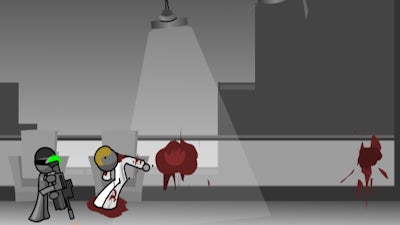


Experience the thrill of side-scrolling action in Close Quarters Combat, a fast-paced Flash game available exclusively on Minijuegos. You and your team are on a mission to uncover a sinister conspiracy within a secret lab building. Engage in fierce fighting against unknown enemies, utilizing your wits and reflexes to survive.
Get familiar with the game's intuitive controls to dominate the battlefield. Mastering the controls is key to success in Close Quarters Combat.
As you navigate through the secret lab, develop a strategy to take down enemies efficiently. Manage your ammo, utilize cover, and make tactical decisions to progress through the levels. The game demands a combination of quick reflexes and smart thinking, making it a true test of your fighting skills.
Ready to take on the challenge? Head over to Close Quarters Combat on Minijuegos to experience the action-packed gameplay. If you're looking for more thrilling games, visit the Minijuegos homepage for a vast collection of games, including more side-scrolling and fighting titles.

We use cookies to help you navigate efficiently and perform certain functions. You will find detailed information about all cookies under each consent category below.
The cookies that are categorised as "Necessary" are stored on your browser as they are essential for enabling the basic functionalities of the site.
Necessary cookies are required to enable the basic features of this site, such as providing secure log-in or adjusting your consent preferences. These cookies do not store any personally identifiable data.
Functional cookies help perform certain functionalities like sharing the content of the website on social media platforms, collecting feedback, and other third-party features.
Analytical cookies are used to understand how visitors interact with the website. These cookies help provide information on metrics such as the number of visitors, bounce rate, traffic source, etc.
Advertisement cookies are used to provide visitors with customised advertisements based on the pages you visited previously and to analyse the effectiveness of the ad campaigns.
We also use third-party cookies that help us analyse how you use this website, store your preferences, and provide the content and advertisements that are relevant to you. These cookies will only be stored in your browser with your prior consent.
You can choose to enable or disable some or all of these cookies but disabling some of them may affect your browsing experience.