Click to play
x
Controls

Controls

PC Controls

  • Drag right-click = move the canvas
  • Left-click = coloring / moving the canvas (depending on the selected tool)
  • Mouse-scroll = zoom in / out
  • B = paint tool
  • H = move tool

Mobile Controls

  • One finger = coloring / moving the canvas (depending on the selected tool)
  • Two fingers = zoom and move (it is recommended to do this with the "move" tool so as not to accidentally mess up)
Cross Stitch

Cross Stitch

Cross Stitch
Click to play
This game is not available on mobile.
rotate phone

Unravel the Art of Pixel Perfection with Cross Stitch

Get ready to unleash your creativity with Cross Stitch, an addictive embroidery coloring game that will challenge and delight you. This visually stunning game from Minijuegos is perfect for fans of coloring and pixel art. With 50 beautiful drawings to color in, each one more intricate and rewarding than the last, you'll be hooked from the very first stitch.
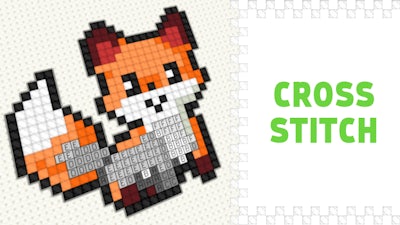
Cross Stitch Gameplay

But what sets Cross Stitch apart from other coloring games? For starters, the controls are incredibly intuitive, making it easy to pick up and play on both PC and mobile devices. Here's how it works:

  • PC Controls:
    • Drag right-click = move the canvas
    • Left-click = coloring / moving the canvas (depending on the selected tool)
    • Mouse-scroll = zoom in / out
    • B = paint tool
    • H = move tool
  • Mobile Controls:
    • One finger = coloring / moving the canvas (depending on the selected tool)
    • Two fingers = zoom and move (it's recommended to do this with the "move" tool so as not to accidentally mess up)

As you progress through the game, you'll need to use strategy and precision to complete each design. Start with the easiest levels and work your way up to the more challenging ones, and don't be afraid to experiment and try new things – after all, that's the joy of coloring! With the soothing sounds and relaxing atmosphere of Cross Stitch, you'll be able to unwind and express your creativity like never before.

So why wait? Head to Minijuegos to discover more exciting games like Cross Stitch, and start your pixel-perfect journey today! Play Cross Stitch now and get hooked on the art of coloring.


Instructions:

Controls

PC Controls

  • Drag right-click = move the canvas
  • Left-click = coloring / moving the canvas (depending on the selected tool)
  • Mouse-scroll = zoom in / out
  • B = paint tool
  • H = move tool

Mobile Controls

  • One finger = coloring / moving the canvas (depending on the selected tool)
  • Two fingers = zoom and move (it is recommended to do this with the "move" tool so as not to accidentally mess up)
Customise Consent Preferences Close

We use cookies to help you navigate efficiently and perform certain functions. You will find detailed information about all cookies under each consent category below.

The cookies that are categorised as "Necessary" are stored on your browser as they are essential for enabling the basic functionalities of the site.

Always Active

Necessary cookies are required to enable the basic features of this site, such as providing secure log-in or adjusting your consent preferences. These cookies do not store any personally identifiable data.

Functional cookies help perform certain functionalities like sharing the content of the website on social media platforms, collecting feedback, and other third-party features.

Analytical cookies are used to understand how visitors interact with the website. These cookies help provide information on metrics such as the number of visitors, bounce rate, traffic source, etc.

Advertisement cookies are used to provide visitors with customised advertisements based on the pages you visited previously and to analyse the effectiveness of the ad campaigns.

We also use third-party cookies that help us analyse how you use this website, store your preferences, and provide the content and advertisements that are relevant to you. These cookies will only be stored in your browser with your prior consent.

You can choose to enable or disable some or all of these cookies but disabling some of them may affect your browsing experience.