Dragon Simulator – High‑Octane Dragon Action on Minijuegos
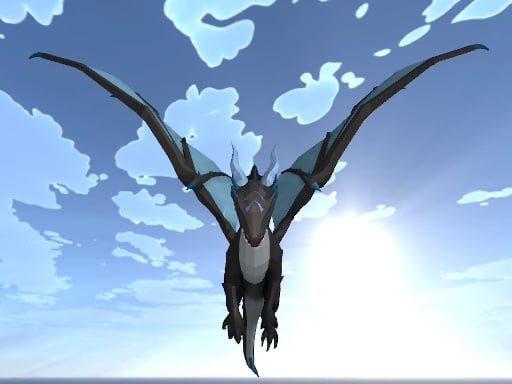
Imagine soaring above a sprawling canyon, flames licking the sky as you lock eyes with rival dragons. Dragon Simulator drops you into a relentless 3D Games arena where every wingbeat feels raw and real. The WebGL‑powered engine makes the world pop with vivid detail, turning every fire‑breath into a tactical weapon. If you crave a fast‑paced simulation that rewards skill and reflexes, this is the only dragon‑filled playground you need.
Controls & Gameplay
Master the sky with a tight control scheme designed for instant action. The following keys and mouse buttons cover every move you’ll need:
- WASD or arrow keys – move
- Space – fly‑up
- L Shift – sprint
- Q – jump
- C – dive down
- R – dodge
- Shift – boost
- Left mouse click – fire breath
- Right mouse click – melee attack
- Left mouse click – fireball (hold for charged blast)
- T – chat
- M – map
- Esc – pause
Strategy & Addictiveness
Success isn’t just about raw speed; it’s about timing and positioning. Start by mastering the vertical space—use Space and C to gain altitude and then swoop down for surprise attacks. Keep your breath weapon on cooldown and swap to fireball when a foe clusters. The sprint button lets you chase down lagging opponents, while R dodge saves you from counter‑breaths. Upgrade your dragon’s scale armor by collecting glowing shards scattered across the map; each shard boosts durability and unlocks a new melee combo. The progression loop—fly, fight, collect, upgrade—keeps the adrenaline pumping session after session.
Ready to dominate the skies? Jump straight into Dragon Simulator on Minijuegos and feel the rush of a true dragon simulation. Every flame‑filled battle brings a fresh challenge—prove you’re the apex predator today.
WASD or arrow keys move Space fly-Up L Shift sprint Q jump C down R dodge Shift Left mouse click fire breath Left mouse click fireball Right mouse click melee attack T chat M map Esc pau