Controls
- WASD move
- Right mouse button to aim
- Left mouse button to spawn fort part or shoot
- E to cancel building or to pick-up a weapon
- 1234 to switch a weapon
- 5,6, or 7 to build a structure
- Space bar to jump
- L or Escape to toggle mouse cursor lock
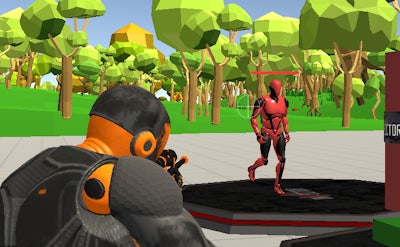


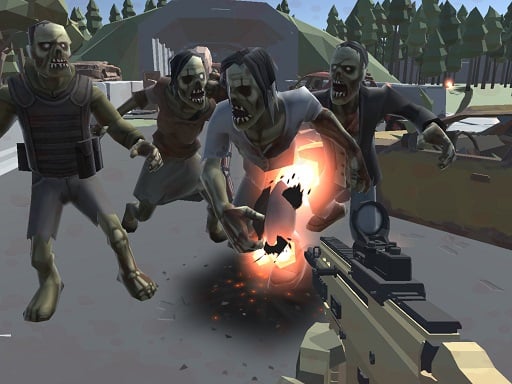
Ever dreamed of building the ultimate fort and defending it against invaders? Look no further than Fort Shooter Simulator, a thrilling 3D simulation game from Minijuegos. In this immersive experience, you'll construct and customize your own fort, armed to the teeth with an arsenal of defensive weapons. Gather materials, craft structures, and strategize with friends to create an impenetrable stronghold.
Get familiar with the controls to become a fort-building pro. Here's a rundown of the essential commands:
As you build and defend your fort, you'll need to adapt and evolve your strategy to overcome challenges. Focus on resource management, structure placement, and team coordination to stay ahead of the competition. Experiment with different building materials and defensive setups to create a unique and formidable stronghold. At Minijuegos, we're committed to delivering top-notch gaming experiences, and Fort Shooter Simulator is no exception.
Ready to put your fort-building skills to the test? Head over to Fort Shooter Simulator to start building, defending, and dominating today. For more awesome games, visit the Minijuegos homepage.

We use cookies to help you navigate efficiently and perform certain functions. You will find detailed information about all cookies under each consent category below.
The cookies that are categorised as "Necessary" are stored on your browser as they are essential for enabling the basic functionalities of the site.
Necessary cookies are required to enable the basic features of this site, such as providing secure log-in or adjusting your consent preferences. These cookies do not store any personally identifiable data.
Functional cookies help perform certain functionalities like sharing the content of the website on social media platforms, collecting feedback, and other third-party features.
Analytical cookies are used to understand how visitors interact with the website. These cookies help provide information on metrics such as the number of visitors, bounce rate, traffic source, etc.
Advertisement cookies are used to provide visitors with customised advertisements based on the pages you visited previously and to analyse the effectiveness of the ad campaigns.
We also use third-party cookies that help us analyse how you use this website, store your preferences, and provide the content and advertisements that are relevant to you. These cookies will only be stored in your browser with your prior consent.
You can choose to enable or disable some or all of these cookies but disabling some of them may affect your browsing experience.