Controls
- Use the left mouse button to build
- Use Ctrl to get an overview
- Use Z to move the camera around the surface
- Turn the mouse wheel to zoom in
- Use the arrow keys to move the camera forward, back, left, and right
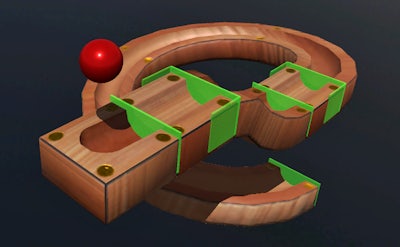


Imagine a sandbox where every curve, ramp, and loop obeys real‑world physics. Marble Run hands you a 3D canvas, a toolbox of track pieces, and a single marble that demands flawless design. One misaligned segment and the marble stalls; nail the flow and watch a satisfying cascade that rewards your logic and brainpower. This isn’t just a casual time‑killer—it’s a simulation that sharpens spatial awareness while looking damn good.
Control the camera, place pieces, and test your creation with a handful of intuitive shortcuts.
Start with simple straight‑downs, then layer spirals, jumps, and gravity‑defying twists. The game rewards building efficiency: fewer pieces mean higher scores, but complexity can unlock hidden challenges. Experiment with the Physics engine—adjust slopes, add friction modifiers, and watch the marble react in real time. Each level introduces new logic puzzles that force you to think ahead, turning the experience into a genuine educational workout for your brain. Master the art of balancing speed and stability, and you’ll see your high‑score climb faster than the marble itself.
Ready to put your engineering instincts to the test? Jump into Marble Run now and start crafting the most satisfying runs on Minijuegos. Build, test, repeat—your ultimate marble masterpiece awaits.

We use cookies to help you navigate efficiently and perform certain functions. You will find detailed information about all cookies under each consent category below.
The cookies that are categorised as "Necessary" are stored on your browser as they are essential for enabling the basic functionalities of the site.
Necessary cookies are required to enable the basic features of this site, such as providing secure log-in or adjusting your consent preferences. These cookies do not store any personally identifiable data.
Functional cookies help perform certain functionalities like sharing the content of the website on social media platforms, collecting feedback, and other third-party features.
Analytical cookies are used to understand how visitors interact with the website. These cookies help provide information on metrics such as the number of visitors, bounce rate, traffic source, etc.
Advertisement cookies are used to provide visitors with customised advertisements based on the pages you visited previously and to analyse the effectiveness of the ad campaigns.
We also use third-party cookies that help us analyse how you use this website, store your preferences, and provide the content and advertisements that are relevant to you. These cookies will only be stored in your browser with your prior consent.
You can choose to enable or disable some or all of these cookies but disabling some of them may affect your browsing experience.