Parkour Craft Noob Steve – Fast‑paced Snowy Adventure
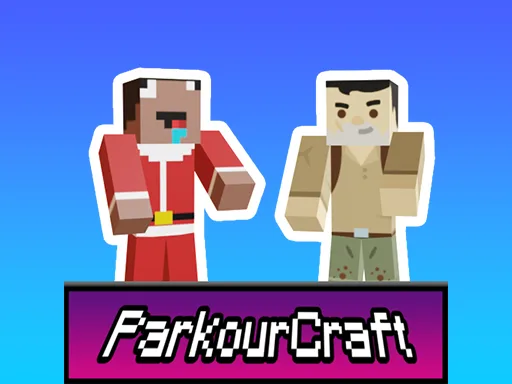
Snow drifts, icy platforms, and a pixel‑perfect world await you. Play as the clumsy Steve who finally learns to jump like a pro. Each level throws a fresh Adventure challenge: reach the glowing portal before the timer freezes you out. The game blends classic Minecraft vibes with high‑octane parkour action, making every jump feel rewarding. If you love 1 Player thrills, this 3D playground is a must‑try. Master the skill, beat the snow, and show Santa Claus that you’ve got the chops to survive the holiday freeze.
Mechanics
Control Steve with simple, responsive inputs. Look around, move, and time your leaps to glide over frozen blocks. The system is built for both mouse‑users and gamepad fans, keeping the flow smooth and the challenge sharp.
- Mouse or right joystick - Look around
- WASD or left joystick - Movement
- Space or jump button - Jump
- Focus Mouse right click on the screen
Strategy
Start each level by scouting the layout. Spot the highest snow piles early; they often hide shortcuts. When you see a series of blocks, aim for the middle one to keep momentum—your first jump sets the rhythm for the rest of the run. Keep the camera slightly tilted down; it gives better depth perception for those tight gaps. If a platform looks too far, try a wall‑run by pressing the jump button while sliding along the edge. Mastering this technique unlocks hidden routes that shave seconds off your time. Remember, Santa’s gift isn’t just the trophy; it’s the bragging rights that come with perfecting every skill. Collect the snow crystals scattered across each stage; they boost your score and unlock a secret bonus level with extra Snow challenges.
Ready to dominate the frosty tracks? Jump into Parkour Craft Noob Steve now, beat every level, and claim your spot on the leaderboard. Minijuegos brings the chill, you bring the skill. Play today and prove you’ve got the ultimate parkour Skills to out‑run Santa’s sleigh.
Mouse or right joystick - Look around WASD or left joystick - Movement Space or jump button - Jump Focus Mouse right click on the screen