Project Grand Auto Town – Chaos in a 3D City
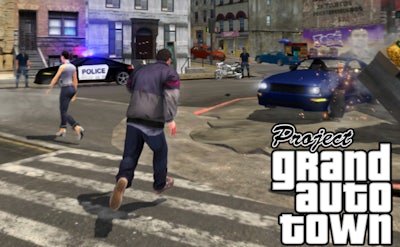
The streets of this sprawling 3D sandbox feel like a mash‑up of GTA and classic Mafia titles, but with a fresh, browser‑ready twist. You’re a lone hustler, armed with a Gun, racing through neon alleys and dodging rival crews. Every corner hides a cash grab, every alleyway a chance to topple a rival gang. If you crave the rush of a Third Person Shooter where every decision reshapes the city’s power balance, this is the arena that won’t let you look away. Minijuegos brings the heat, letting you dominate the underworld from a single 1 Player perspective.
How to Play the Mayhem
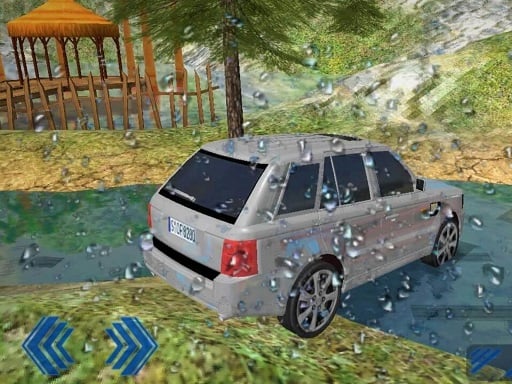
Control is simple, but mastery is brutal. Move with WASD or the arrow keys, jump with Space, and pause with P. Reload with R. Aim with the right mouse button, fire with the left, and scroll the mouse wheel to swap weapons on the fly. Want to hijack a Car? Press E. While driving, keep the same movement keys, switch view with V, and hold Shift for a side perspective that gives you an edge in tight chases. The control scheme keeps you glued to the keyboard and mouse, delivering that classic arcade feel.
- WASD / Arrow keys – move on foot or steer a vehicle
- Space – jump over obstacles or vault onto rooftops
- P – pause the action
- R – reload your firearm
- Left mouse button – shoot or attack
- Right mouse button – aim for precision shots
- Mouse wheel – cycle through guns and gadgets
- E – enter any nearby car
- V – toggle between cockpit and external view
- Shift – activate side view for better lane control
Master the Streets
Progression hinges on smart loot runs and ruthless turf wars. Start by taking low‑risk deliveries; they teach you the map and reward you with enough cash to upgrade your arsenal. Upgrade your Gun load‑out, then hunt down high‑value targets—rival bosses, armored trucks, and hidden stashes. The key is timing: strike when enemies are distracted, then vanish into the maze of alleyways. Use the side‑view mode when chasing high‑speed pursuers; it gives you a clear line of sight to cut corners and set up ambushes. Keep an eye on your reputation meter; the higher it climbs, the tougher the opposition, but the richer the payouts. Every successful raid unlocks new vehicle skins, faster cars, and more brutal weapons, feeding the loop that keeps you coming back for more.
Ready to prove you’re the ultimate street lord? Jump into Project Grand Auto Town on Minijuegos and start building your empire today. The city never sleeps, and neither should your ambition. Take the wheel, lock and load, and show every rival why you own the night.