Sandbox City - Cars, Zombies, Ragdolls! – Total Chaos Awaits
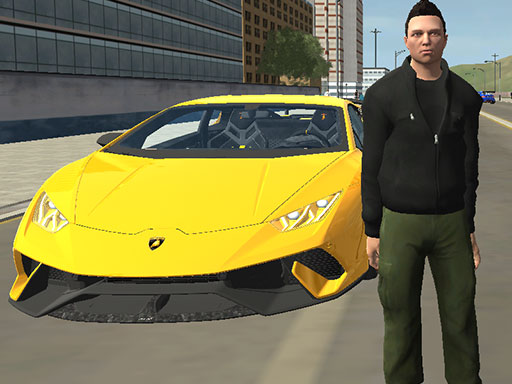
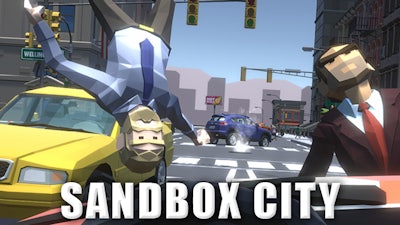
You want total freedom in a decaying urban wasteland? You found it. Sandbox City - Cars, Zombies, Ragdolls! drops you into an open-world 3D environment where your only goal is staying alive while causing maximum mayhem. This isn't just another boring zombie shooter; it’s a high-octane simulation where the streets are your playground. Hunt down undead hordes, hijack the nearest car, and tear through the traffic. The ragdoll physics ensure every impact is hilarious and brutal. Whether you are playing for the intense survival thrill or just to see how much destruction you can cause, Minijuegos has you covered with this addictive title.
Mastering the chaos requires knowing your way around the keyboard. This Third Person Shooter handles like a dream if you know the inputs. If you’ve got a controller, you can map your preferences, but the default layout is perfectly tuned for fast reflexes. Here is how you take control of the city:
- WASD or arrow keys: Move your character
- Left-click: Attack / Hold to fire your weapon
- Shift: Sprint
- Space: Jump on foot / Handbrake while driving
- E: Enter or exit a taxi or vehicle / Buy items
- R: Cycle through your weapon loadout
- T: Toggle Slo-Mo mode for cinematic combat
- L: Lock or unlock your mouse cursor
- C: Switch camera perspectives
- Esc: Quit the session
Pro Strategies for Sandbox City - Cars, Zombies, Ragdolls!
Don’t just stand there shooting mindlessly. Efficiency is the key to survival. Use the taxi to mow down groups of zombies to conserve your ammo, but watch your vehicle’s health—once the engine smokes, get out fast. Always utilize the Slo-Mo mode (T) when you’re cornered; it turns a losing fight into a tactical advantage, letting you land headshots while the enemies crawl toward you. If you get overwhelmed, use your sprint to reposition on rooftops or navigate through tight alleyways where the undead struggle to follow. Remember, you aren't just a survivor; you're the hunter. Keep moving, keep looting, and keep checking your surroundings on Minijuegos for new weapon spawns.
The city is falling apart, and the infection isn't going to stop itself. Every second you spend debating, another zombie spawns. It’s time to hop behind the wheel and reclaim the streets. Grab your gear, lock your cursor, and show these ragdoll mobs who really runs this town. Play Sandbox City - Cars, Zombies, Ragdolls! right now and prove your skills in the ultimate open-world test.