Shoot Your Nightmare - Double Trouble: Two Nightmares, One Brutal Wake‑Up
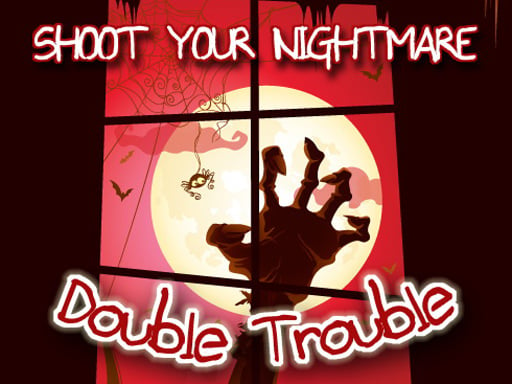
Two relentless horrors stalk the shadows, and only one player can survive. Shoot Your Nightmare - Double Trouble cranks the fear dial to eleven, dropping you into dark woods, grimy city blocks, and claustrophobic sewers. Every corner hides a new terror, every gun feels like a lifeline. If you love fast‑paced, heart‑pounding FPS action, this is the nightmare you can’t afford to miss.
Mechanics
Controls are stripped down to pure combat. Move, aim, and unleash chaos without fumbling through menus.
- W A S D to walk around
- Mouse to Look around
- Left Mouse Button to Fire
- Right Mouse Button to Aim
- Mouse Wheel To Change Weapons
- G for Grenades
- R to Reload
- F to Pickup Items
- Left Shift to Run
- Left CTRL to Crouch
- X to Prone
- V to Melee
- Space to Jum
Strategy
Winning isn’t about spraying bullets; it’s about reading the nightmare’s pattern. Start each level by scanning the environment—light sources reveal hidden enemies, while shadows conceal ambushes. Prioritize weapons that match the enemy type: a rapid‑fire SMG shreds swarming zombies, while a shotgun clears tight corridors. Use grenades to break enemy clusters before they overwhelm you.
Resource management is key. Ammo drops are scarce, so conserve shots for high‑value targets. Switch to melee (V) when ammo runs low; a well‑timed strike can finish a foe without breaking your rhythm. Keep moving—standing still invites a barrage of fire from the twin nightmares. Use Left Shift to sprint between cover points and Left CTRL to duck under low obstacles, staying out of sight.
Progression rewards you with weapon upgrades and new gear. Each successful level unlocks a harder “Bonus Level” that tests everything you’ve learned. Master the sewers first; the echoing footsteps there give away enemy positions before they see you. Then dominate the city block, where verticality forces you to think three‑dimensionally—perfect for fans of immersive 3D Games.
Remember the Kiz 10 (kiz10) community thrives on speedruns and high scores. Sharpen your timing, aim for flawless runs, and climb the leaderboards. The more efficiently you dispatch the twins, the faster you’ll earn prestige and exclusive skins.
Ready to crush the nightmares and claim victory? Jump straight into the action on Shoot Your Nightmare - Double Trouble and prove you’ve got the reflexes to survive. Minijuegos brings you the adrenaline rush you’ve been hunting—no fluff, just pure, relentless combat. Play now and show those shadows who’s boss.
W A S D to walk around Mouse to Look around Left Mouse Button to Fire Right Mouse Button to Aim Mouse Wheel To Change Weapons G for Grenades R to Reload F to Pickup Items Left Shift to Run Left CTRL to Crouch X to Prone V to Melee Space to Jum