Click to play
x
Controls

Controls

  • You cannot control the gunship itself, only aim its weapon systems
  • Use the mouse or keyboard arrow keys (or WASD keys) to aim
  • Press the left mouse button or spacebar to fire
  • Press the right mouse button or "Z" key to zoom in
  • Press the "X" key on your keyboard to switch the scan mode. This will allow you to see which enemy ships are armed with nuclear warheads
  • Once you unlock more weapons you can switch between them by using the scroll wheel on your mouse or using the 1, 2, 3, 4, 5 keys on your keyboard.
  • Press the Escape key on your keyboard to bring up the in-game menu
Starbase Gunship

Starbase Gunship

Starbase Gunship
Click to play
This game is not available on mobile.
rotate phone

Starbase Gunship: Last Stand Against an Alien Invasion

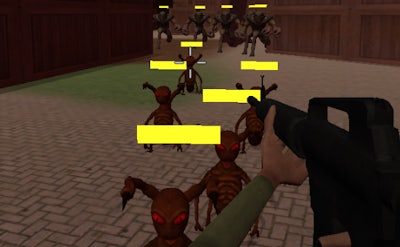
Imagine the last bastion of human civilization on a distant planet, under siege by an relentless alien horde. Your mission in Starbase Gunship, the latest epic shooter from Minijuegos, is to defend the last starbase against an incoming enemy fleet. With a wide range of devastating lasers and missile systems at your disposal, you'll need all your wits and strategic prowess to hold back the tide of an alien invasion.

  • Take control of the defensive systems of a heavily fortified starbase.
  • Use your mouse or keyboard to aim and fire at incoming enemy ships.
  • Switch between different laser and missile systems to adapt to the changing threat.
  • Uncover and disable the nuclear warheads on enemy ships with the scan mode.
  • As you progress, unlock new and more powerful systems to keep the aliens at bay.

But it won't be easy - the enemy will adapt and evolve, forcing you to stay one step ahead. Will you be able to hold back the alien hordes and save humanity's last stronghold?

Starbase Gunship Gameplay

With its addictive gameplay and immersive atmosphere, Starbase Gunship will keep you on the edge of your seat from start to finish. So gear up, defend the starbase, and take down the alien threat in this epic defense game from Starbase Gunship on Minijuegos!

Instructions:

Controls

  • You cannot control the gunship itself, only aim its weapon systems
  • Use the mouse or keyboard arrow keys (or WASD keys) to aim
  • Press the left mouse button or spacebar to fire
  • Press the right mouse button or "Z" key to zoom in
  • Press the "X" key on your keyboard to switch the scan mode. This will allow you to see which enemy ships are armed with nuclear warheads
  • Once you unlock more weapons you can switch between them by using the scroll wheel on your mouse or using the 1, 2, 3, 4, 5 keys on your keyboard.
  • Press the Escape key on your keyboard to bring up the in-game menu
Customise Consent Preferences Close

We use cookies to help you navigate efficiently and perform certain functions. You will find detailed information about all cookies under each consent category below.

The cookies that are categorised as "Necessary" are stored on your browser as they are essential for enabling the basic functionalities of the site.

Always Active

Necessary cookies are required to enable the basic features of this site, such as providing secure log-in or adjusting your consent preferences. These cookies do not store any personally identifiable data.

Functional cookies help perform certain functionalities like sharing the content of the website on social media platforms, collecting feedback, and other third-party features.

Analytical cookies are used to understand how visitors interact with the website. These cookies help provide information on metrics such as the number of visitors, bounce rate, traffic source, etc.

Advertisement cookies are used to provide visitors with customised advertisements based on the pages you visited previously and to analyse the effectiveness of the ad campaigns.

We also use third-party cookies that help us analyse how you use this website, store your preferences, and provide the content and advertisements that are relevant to you. These cookies will only be stored in your browser with your prior consent.

You can choose to enable or disable some or all of these cookies but disabling some of them may affect your browsing experience.