Sudoku Puzzle Master: Brain‑Boosting Fun for Every Player
Sharp minds love a good Sudoku challenge, and Sudoku Puzzle Master delivers it in spades. Thousands of carefully crafted grids test your logic, improve math skills, and keep the mind humming. Whether you’re a curious boy discovering numbers for the first time or a seasoned puzzler hunting the next puzzle to conquer, the game adapts to your level. Casual gamers can unwind with a quick grid, while hardcore strategists can grind through elite difficulty. The result? A satisfying blend of relaxation and mental workout that fits any schedule.
Mechanics
Controls are simple, so you spend more time solving and less time figuring out how to play.
- Tap Click a cell ndash Select a grid space
- Tap Click a number 1 ndash 9 ndash Fill the selected cell
- Pencil Notes mode ndash Add possible numbers
- Erase button ndash Remove a number
- Hint button ndash Get help with a move
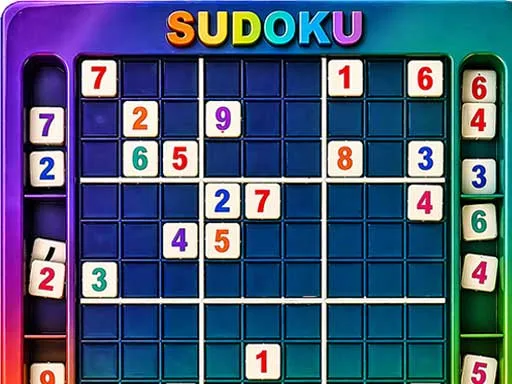
Strategy
Winning at Sudoku Puzzle Master isn’t just about luck; it’s about pattern recognition and smart sequencing. Start each session by scanning for the most constrained cells—those with only one possible number. Use the Pencil Notes mode to eliminate candidates and spot hidden pairs. When you hit a wall, backtrack a few moves and try an alternative number; the puzzle will often reveal a new chain of deductions. Mix in timed challenges to pressure‑test your speed, then unwind with a casual mode to savor each logical step. Progression is tracked, so you’ll see your solve time drop and your confidence rise. Keep an eye on the difficulty meter; as you climb, the grids introduce advanced techniques like X‑wing and swordfish, turning a simple math exercise into a full‑blown brain workout.
Ready to dominate the grid? Jump straight into the action on Sudoku Puzzle Master, or explore more titles at Minijuegos. Your next brain‑boosting session is just a tap away—solve, improve, repeat.
Tap Click a cell ndash Select a grid space Tap Click a number 1 ndash 9 ndash Fill the selected cell Pencil Notes mode ndash Add possible numbers Erase button ndash Remove a number Hint button ndash Get help with a move