Teko vs Doov: Retro Robot Showdown
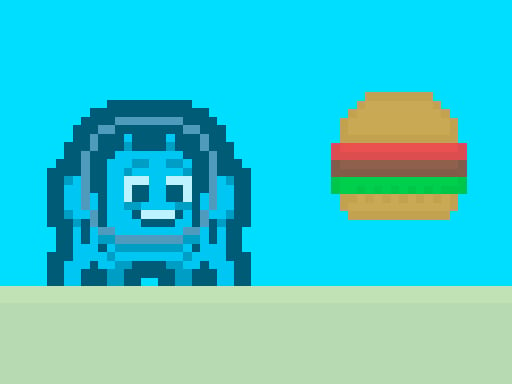
Two quirky bots, a maze of pixel platforms, and a race for silver keys. One player steps into a neon‑lit sci‑fi arena where every jump counts. Miss a step, and a razor blade or a buzzing drone ends the run. Master the timing, outsmart the robot patrols, and smash the exit door. The thrill of each level pulls you deeper—because who can resist a cute, arcade‑style adventure that rewards fast reflexes?
Mechanics
Controls are stripped down to the essentials. Move, jump, double‑jump—nothing else.
- Use WASD or Arrow keys for the player’s movement
- Press W or Up arrow twice for double jump

Strategy
Every level is a puzzle wrapped in a platform challenge. Start by scanning the screen for the nearest silver key. The key’s glow tells you it’s safe to collect—otherwise, a hidden robot may be waiting. Keep an eye on moving saws; they follow predictable patterns, so timing your jump is key. When you spot a flying bot, retreat to a higher platform and let it pass. The best players learn to chain jumps, using the double‑jump to vault over spikes and land on hidden alcoves that hide extra points.
Progression hinges on efficient collecting. The faster you grab all keys, the more bonus points you earn. Bonus points boost your ranking on the arcade leaderboards, and they unlock a secret retro skin for Teko. That skin adds a nostalgic pixel flair, perfect for fans of classic science‑fiction games.
Watch the level timer. A tight run forces you to prioritize high‑value routes over safe but slow paths. Mix aggressive jumping with cautious robot avoidance. The balance between speed and safety defines the adventure’s difficulty curve. As you climb higher, enemy AI becomes smarter, and platforms shift faster. Adaptation is the only way to survive eight increasingly brutal stages.
Ready to test your reflexes? Jump into the arena, collect every key, and beat the clock. Play Teko vs Doov now on Minijuegos and prove you’ve got the skill to dominate this retro platform showdown.
Use WASD or Arrow keys for the player s movement Use W or Up arrow key twice for double jump